
PROFILE SETUP
ICON Model Crew – Setting up your profile
At ICON Model Crew (IMC), we want to make things as easy as possible. So to start with everyone creates a CREW MODEL profile. No matter if you are signing up for a FEATURE profile or an ICON profile, you will start by creating a CREW profile. Here is how you do it.
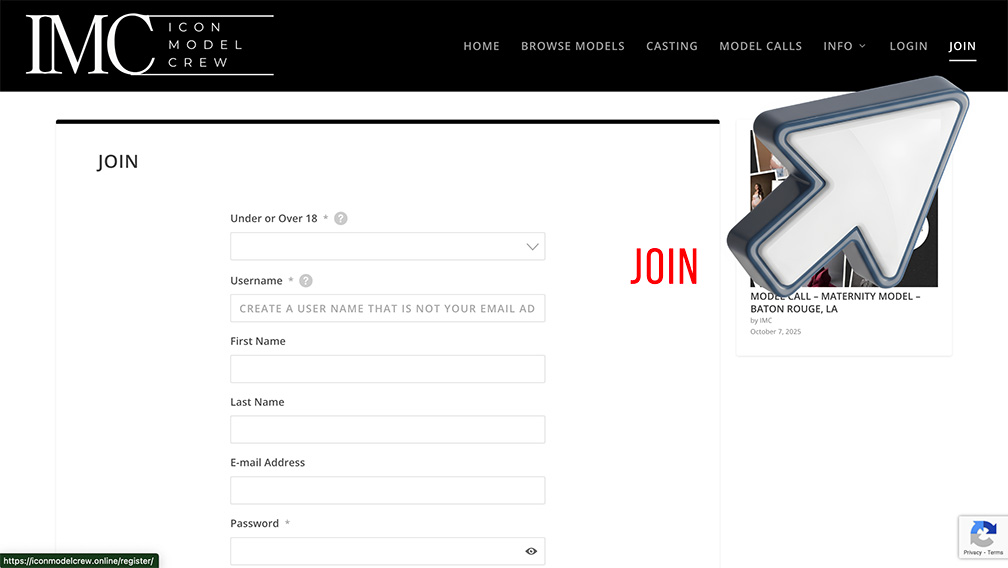
1. JOIN
When you go to the IMC home page:
- CLICK JOIN: you will find this option in top right corner of the menu or in the drop down menu if you are using your phone to join.
- UNDER OR OVER 18: Models under the age of 18 are welcome but the profile must be managed by a parent or guardian. Profiles may be deleted by our admin if underage profiles are found without parent of guardian control.
- USER NAME: We highly recommend creating a USERNAME that is not both your full names (especially for under 18 models). This is the name that everyone will see on the website.
- FIRST NAME & LAST NAME: This information is just for us. This information will not be seen by anyone else and should be the names of the person managing the profile.
- EMAIL ADDRESS: This email address is just for log in and admin communications. This email address will NOT be visible on the profile. We do recommend creating a specific model email address to use and post in the profile for casting professionals to contact you.
2. LOG IN
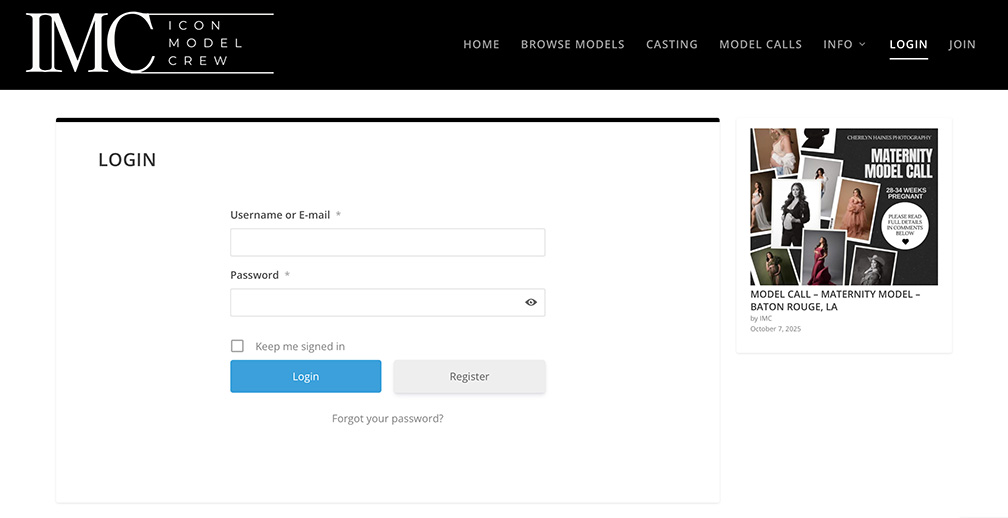
After you have crated an account you will be taken to STEP 3. If you are returning to the website at a later date you can login by simply clicking LOG IN in the top right corner of the menu or in the drop down menu on mobile devices.:
- LOG IN using the email address or username you used when you joined followed by your password.
3. SETTINGS
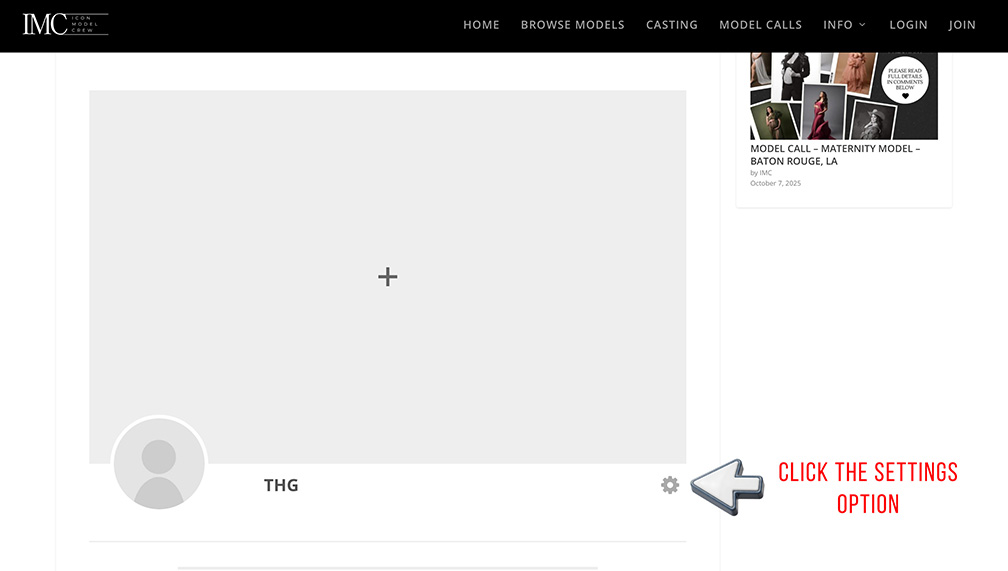
- Add header and profile photos in this screen.
- To add more info and additional photos into your profile click on the settings wheel to the right of your username.
4. EDIT PROFILE
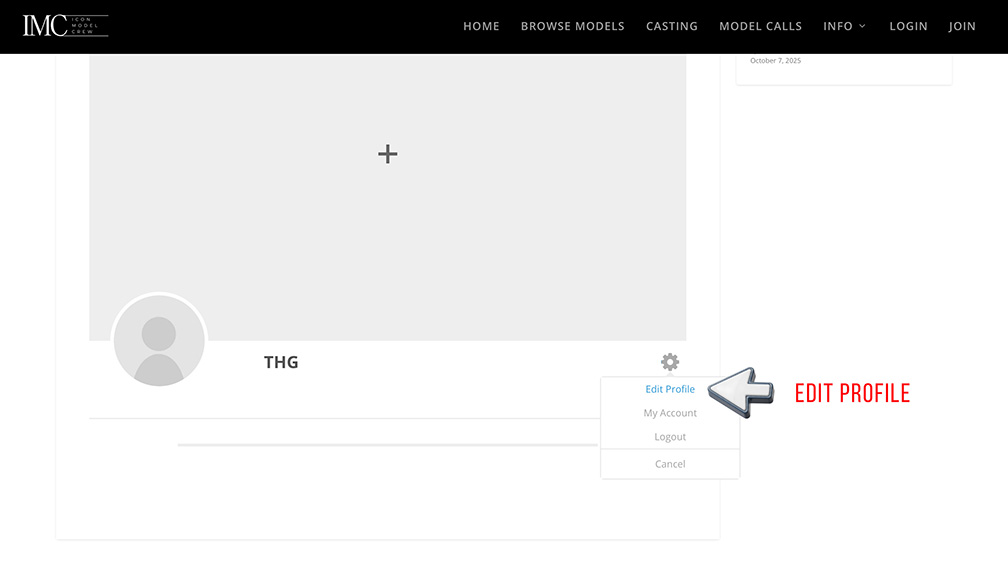
- Click EDIT PROFILE to see the profile creation page.
5. FILL OUT INFO
Here you will see lots of questions to help casting professionals and photographers find the right people for them.
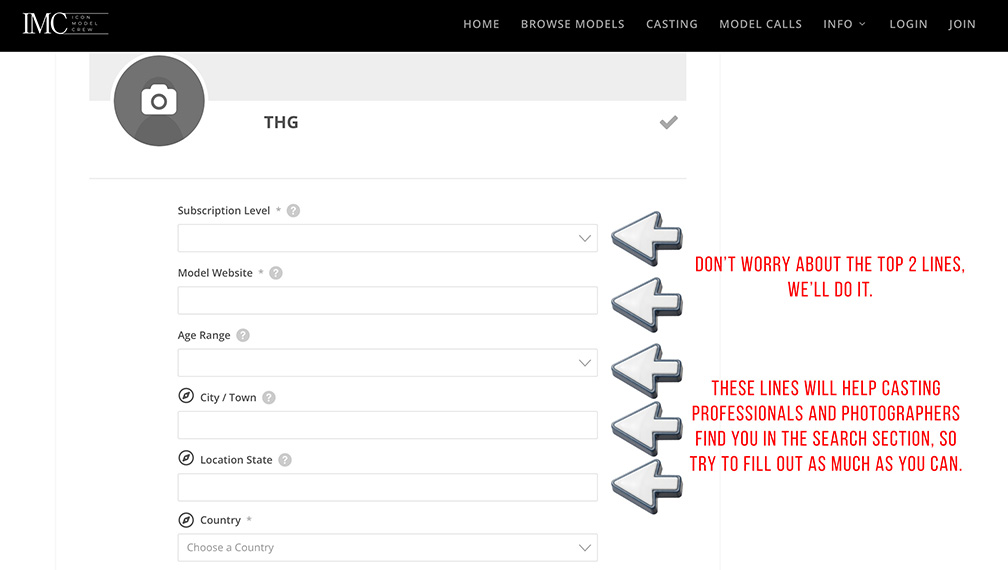
- SUBCRIPTION LEVEL: Don’t worry about this. We will do it.
- MODEL WEBSITE: This is where Featured and Icon model websites will be listed. We will complete this when we need to. Please DO NOT list thrid party websites or social media pages here. They will be removed.
- AGE & LOCATION QUESTIONS: These are important as it lets casting professionals and photographers know what your location is and it will also come up in the search listings. If you have multiple locations that you are available in, list them all.
- ALL OTHER QUESTIONS: There are lots more questions further down the page. Answer as many as you feel happy to.
- ADD IMAGES: You can add some images to help people see your looks and experience. We recommend using images from different photoshoot experiences if possible to help show your range. Remember to come back and update these whenever you get new photos.
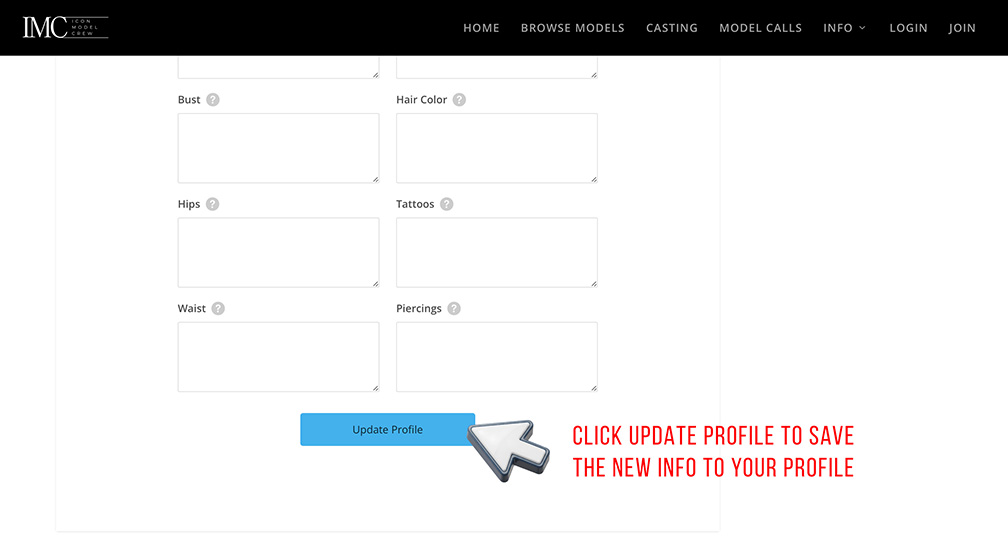
6. UPDATE PROFILE TO SAVE
MAKE SURE YOU CLICK UPDATE PROFILE ATHE BOTTOM TO SAVE ALL THE INFO YOU HAVE JUST ADDED.
You can come back at any time and change the info or photo you have added here.
Contact Us
If you have questions or concerns about this Profile Setup, please contact us at:
ICON Model Crew
WWW.ICONMODELCREW.ONLINE
iconmodelcrew@gmail.com